
Administration and controls
Document: LK-MAN-EN-03 · Version: 0.1
Last updated: 2026-07-18 · Status: draft / requires product review and legal review where applicable
Audience: administrators, owners, and security leads
This manual describes operational controls; it does not certify legal compliance or replace each organization's legal assessment.
Contents
- Organization and role model
- Members and invitations
- API keys and integrations
- Alert policy
- Plan and billing
- Account, MFA, and privacy
- Security and data controls
- Responsibility matrix
- Periodic checklist
<a id="organization-and-role-model"></a>
1. Organization and role model
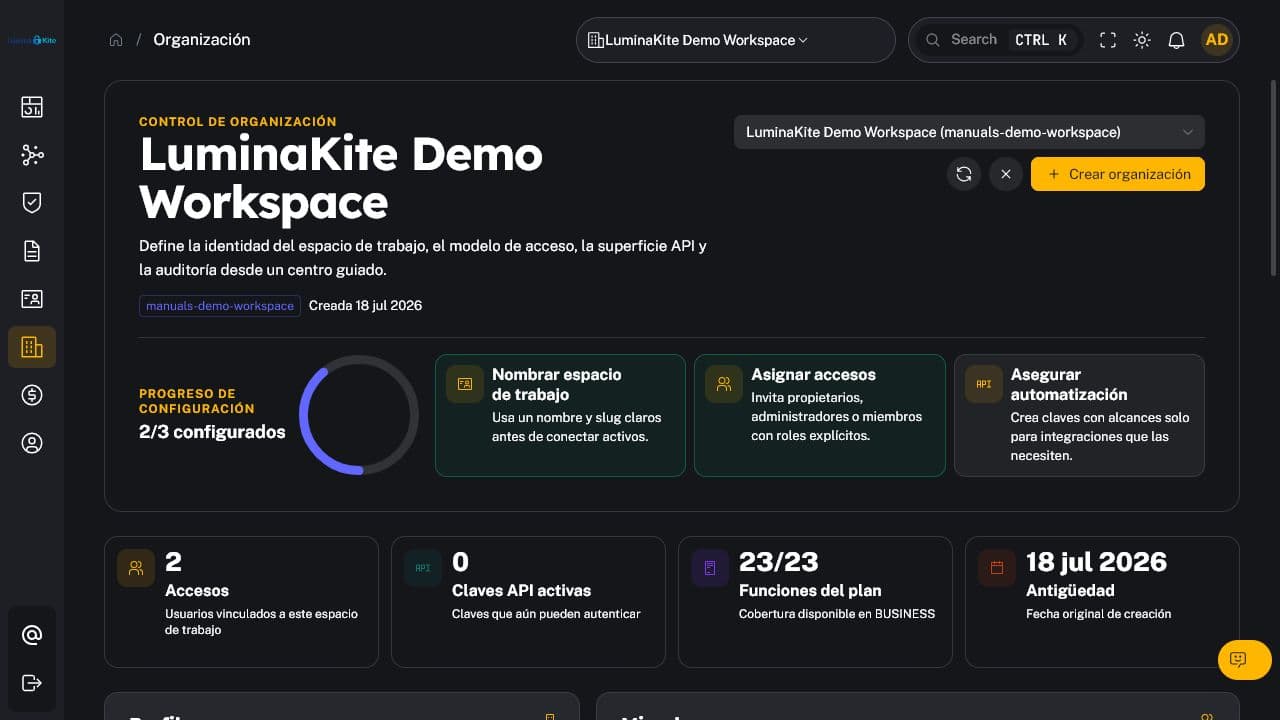
Figure 1. Members, access, and configuration for a synthetic organization. Captured: 2026-07-18.
Organization isolation prevents a request authorized in one tenant from accessing another. Permissions are evaluated together with the active organization and requested resource.
1.1 Role capabilities
| Capability | Member | Admin | Owner |
|---|---|---|---|
| Read authorized organization information | ✓ | ✓ | ✓ |
| Update the organization | — | ✓ | ✓ |
| Invite and manage members | — | ✓ | ✓ |
| Manage API keys | — | ✓ | ✓ |
| Manage alert policies and integrations | — | ✓ | ✓ |
| Manage domains, brand, ASM, uptime, and Identity Leaks | — | ✓ | ✓ |
| Close cases where enforced | — | ✓ | ✓ |
| Change or remove owners | — | — | ✓ |
| Create another organization | — | — | ✓ |
| Manage billing | — | — | ✓ |
A role defines the maximum allowed authority, not a required assignment. Use Member by default and elevate only when the function requires it.
<a id="members-and-invitations"></a>
2. Members and invitations
- Open Organization.
- Review active members and pending invitations.
- Invite the correct corporate address using the least privileged role.
- Verify acceptance and withdraw expired or incorrect invitations.
- Promptly reduce or revoke access after role changes or offboarding.
Recommended controls:
- maintain at least two owners where internal governance allows;
- do not grant
Ownerfor routine operational tasks; - periodically review inactive accounts and external email domains;
- retain traceability for access creation, role changes, and removal in the audit log;
- treat email, name, and membership as personal data required to administer the service.
<a id="api-keys-and-integrations"></a>
3. API keys and integrations
API access is included by default on Business. Admin and Owner can manage organization keys.
3.1 Secure creation
- Define a purpose and technical owner.
- Select only the required scopes.
- Set an expiry when available.
- Copy the secret once into a secrets manager.
- Test in a controlled environment and register the integration.
Never place keys in repositories, tickets, screenshots, logs, or reports. The original secret should not be returned after creation; rotate immediately if exposure is suspected.
3.2 Webhooks and providers
Webhooks are available from Pro, subject to plan limits. Use HTTPS, validate authenticity, restrict destinations, and send only necessary information. Document any external provider, purpose, region, retention, and contractual relationship before production use.
Do not retain full payloads solely for debugging. Prefer event identifiers, state, idempotency keys, and sanitized errors.
<a id="alert-policy"></a>
4. Alert policy
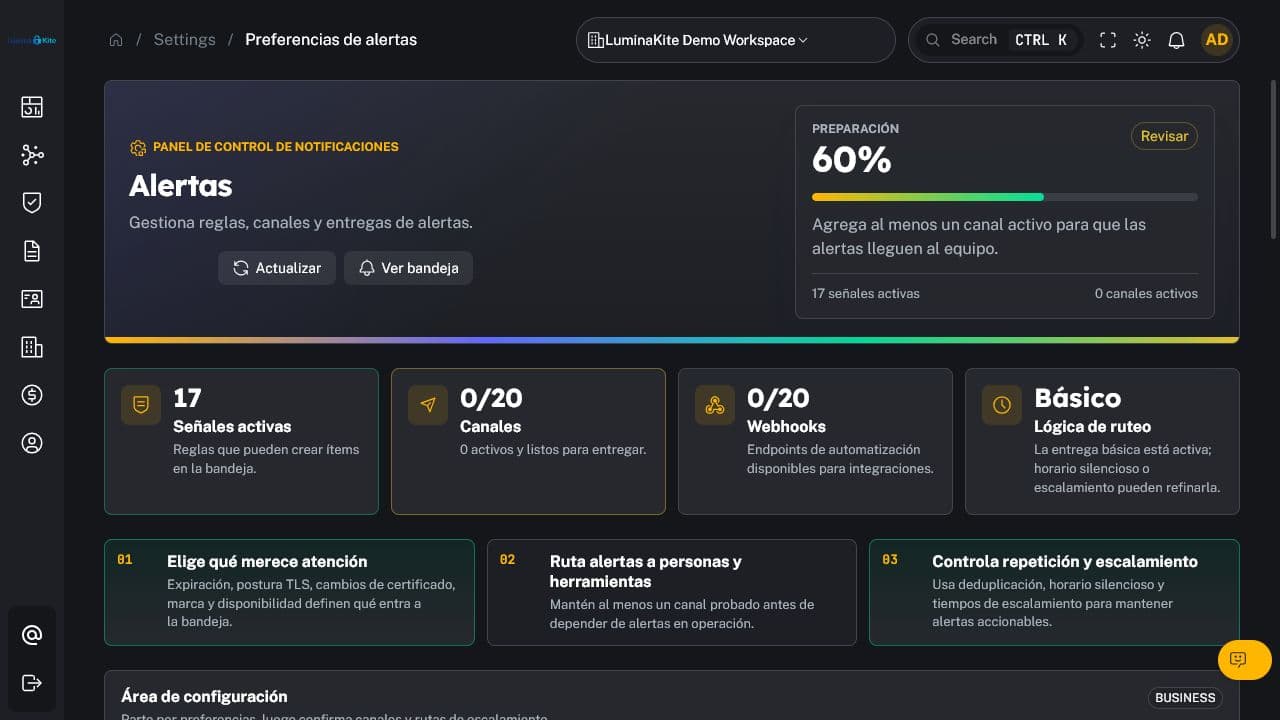
Figure 2. Channels, rules, and delivery controls. Captured: 2026-07-18.
Settings may include channels, recipients, expiry thresholds, deduplication, escalation, webhooks, and quiet hours depending on plan.
| Control | Purpose | Default availability |
|---|---|---|
| Alert channel | Deliver events to an authorized destination | All, with limits |
| Expiry thresholds | Alert before expiry | All, with limits |
| Deduplication | Reduce repeated events | All, minimum by plan |
| Advanced alerting | Expanded rules and behavior | Pro and Business |
| Webhooks | Machine-to-machine integration | Pro and Business |
| Quiet hours | Suppress or defer noise in defined windows | Pro and Business |
| Escalation | Elevate unattended events | When configured and enabled |
Test each channel after setup and whenever credentials, destinations, or rules change. Do not send sensitive evidence to broad distribution lists.
<a id="plan-and-billing"></a>
5. Plan and billing
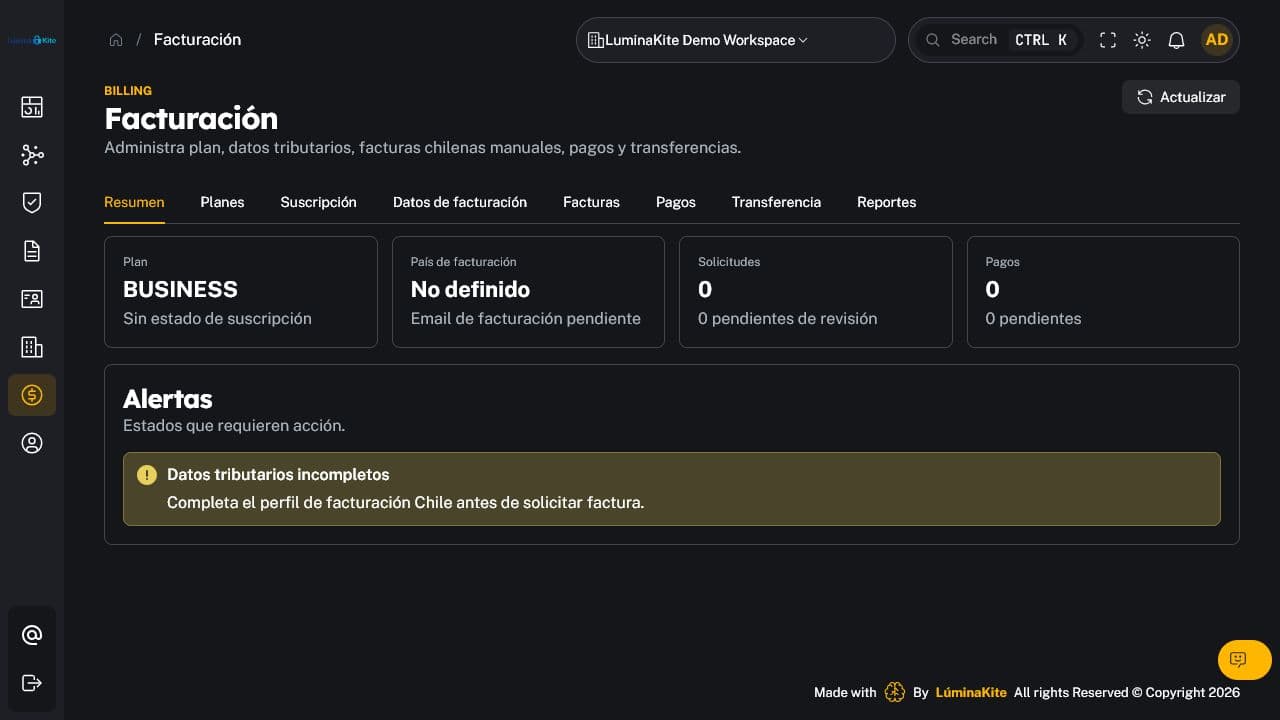
Figure 3. Business plan and limit consumption view. Captured: 2026-07-18.
Only Owner manages billing. The screen gathers the current plan, capabilities, and consumption, and—when enabled—subscription, tax data, payment methods, invoices, and transfers.
- Confirm the active organization before making any change.
- Use only authorized and minimized billing data.
- Never copy card data or provider secrets into comments or support requests.
- Retain invoices and records according to applicable financial obligations.
- Organization overrides may change capabilities or limits; Billing is the operational source of truth.
Exact defaults are listed in manual 04.
<a id="account-mfa-and-privacy"></a>
6. Account, MFA, and privacy
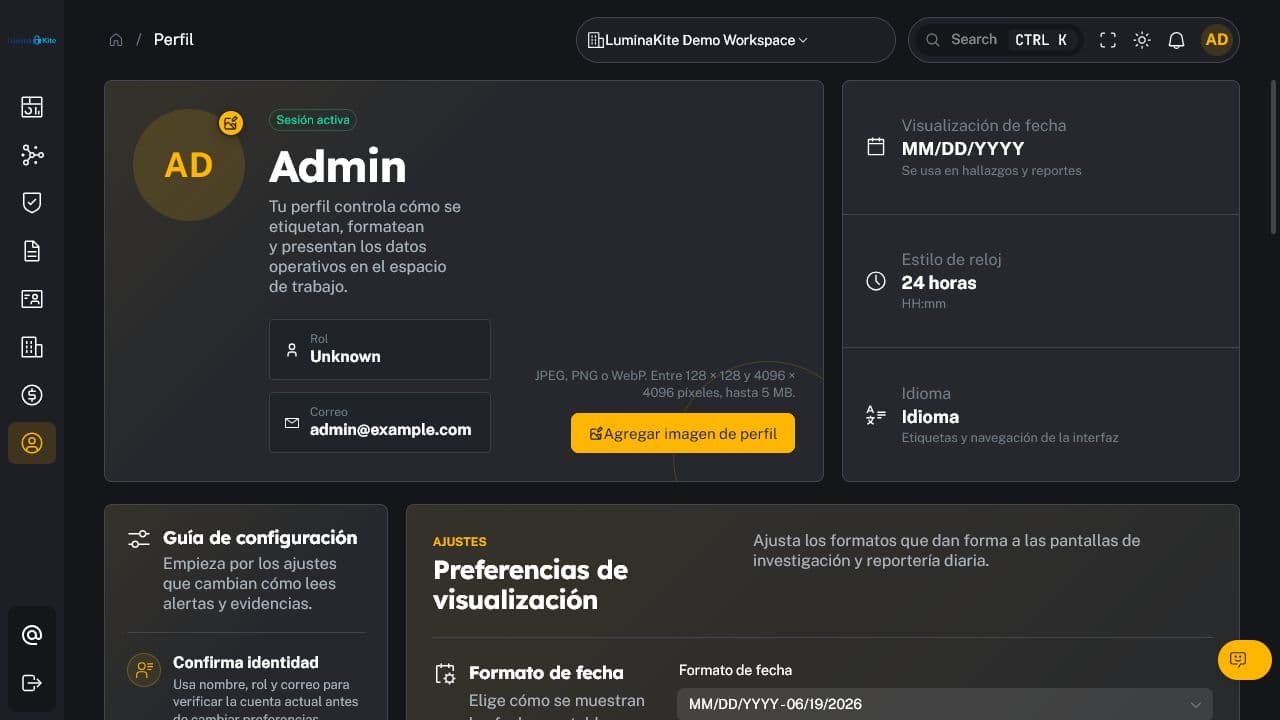
Figure 4. Profile for a reserved synthetic documentation identity. Captured: 2026-07-18.
Each person manages their own profile. Functions may include:
- name and image; JPEG, PNG, or WebP images are subject to size validation;
- password change and MFA;
- language, time zone, and formats;
- optional consent for non-essential purposes;
- personal-data export, correction, and account closure.
Optional consent must remain separate from authentication, security, billing, and other processing required to provide the service. Closing an account does not necessarily delete audit, security, or billing records that must be retained; those may be blocked, anonymized, or retained with justification.
<a id="security-and-data-controls"></a>
7. Security and data controls
7.1 Data roles
| Context | LúminaKite role | Examples |
|---|---|---|
| SaaS operations | Controller | accounts, administrators, authentication, billing, contact, support, security, communications, and preferences |
| Information processed for the customer | Processor/agent | domains, evidence, reports, DMARC, ASM, uptime, Identity Leaks, files, findings, and tenant integrations |
7.2 Applied controls
- authentication, RBAC, and resource authorization;
- multi-tenant isolation through
org_idortenant_id; - DTOs and responses that do not expose hashes, tokens, or internal secrets;
- protected storage for integration secrets and credentials;
- sanitized logs without full bodies, headers, evidence, or personal data;
- file/evidence type and size validation plus authorized downloads;
- pagination where appropriate;
- retention, export, and deletion differentiated by data class;
- audit of relevant administrative actions;
- backend enforcement of plan capabilities and limits, not UI-only gating.
7.3 Personal exports must never contain
password_hash, TOTP secrets, backup-code hashes, reset tokens, API-key hashes, webhook secrets, access/refresh tokens, or provider secrets.
7.4 Customer responsibility
The customer determines purpose, lawful basis, scope, and authorized users for information it configures or uploads. It must minimize identities and evidence, set retention, respond to data-subject requests where applicable, and avoid unauthorized monitoring.
<a id="responsibility-matrix"></a>
8. Responsibility matrix
| Activity | User | Admin | Owner | LúminaKite |
|---|---|---|---|---|
| Protect personal credentials | R | R | R | C |
| Review assigned alerts/findings | R | A | A | C |
| Manage scope and authorized assets | C | R | A | C |
| Manage members and integrations | — | R | A | C |
| Manage plan and billing | — | — | A/R | C |
| Operate platform controls | C | C | C | A/R |
| Define tenant-data basis and retention | C | R | A | C |
R: responsible; A: accountable; C: consulted. Adapt this matrix to the actual contractual and operating model.
<a id="periodic-checklist"></a>
9. Periodic checklist
- Review owners, admins, members, and invitations.
- Revoke accounts, keys, and webhooks without an owner.
- Test alert channels and escalation.
- Review administrative audit events.
- Compare consumption with plan limits.
- Review tax data, invoice recipients, and payment methods.
- Confirm evidence retention and deletion.
- Review public status pages and scheduled reports.
- Confirm integrations and providers remain approved.
- Document exceptions and the next review date.
Change control: v0.1 — initial creation, 2026-07-18.